

Create and manage checks without handing your records to the cloud.
PrintCheck Flow gives you a practical workspace for creating outgoing checks, preparing authorized client drafts, tracking incoming checks, printing endorsements and keeping your records on the device you control.
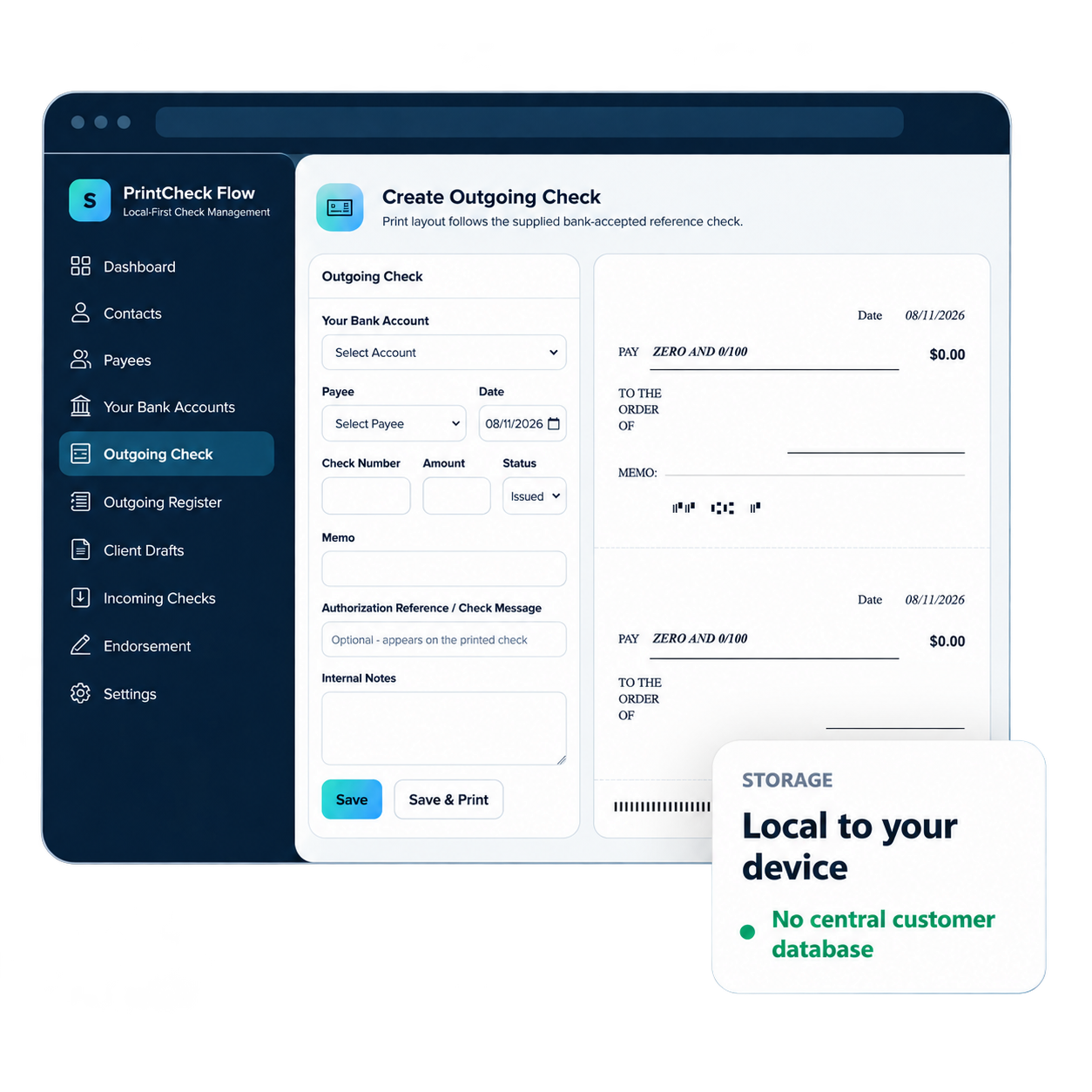
Writing checks should not require a bloated accounting system.
Sometimes you need to create a check, prepare an authorized draft, record a payment and move on. PrintCheck Flow is built around that job.
Stop Re-Entering Information
Save contacts, payees and bank accounts once, then select them from pull-down menus when creating future checks and drafts.
Stop Losing Track of Checks
Keep outgoing checks, client drafts and incoming checks organized in dedicated registers instead of scattered notes and files.
Stop Uploading Everything
PrintCheck Flow uses local browser storage instead of requiring a central Check Flow database to hold your everyday records.
One focused workspace for the checks you create and receive.
No maze of unrelated accounting modules. Just the tools needed to prepare, print and track check activity.
Outgoing Checks
Select your bank account and payee, enter the amount, memo and check number, then save or print the check.
Authorized Client Drafts
Prepare drafts using the client's saved bank information and your selected deposit account after confirming client authorization.
Incoming Check Tracking
Record physical checks you receive and track whether they are received, pending deposit, deposited, cleared or returned.
MICR Line Support
Build the MICR line from the saved routing number, account number and check number using the configured MICR character mapping.
Check Endorsements
Save three custom endorsement lines and print them vertically in the upper check area of a US Letter page.
Export & Import Backups
Create your own portable backup file and import it when you need to restore or move your PrintCheck Flow records.
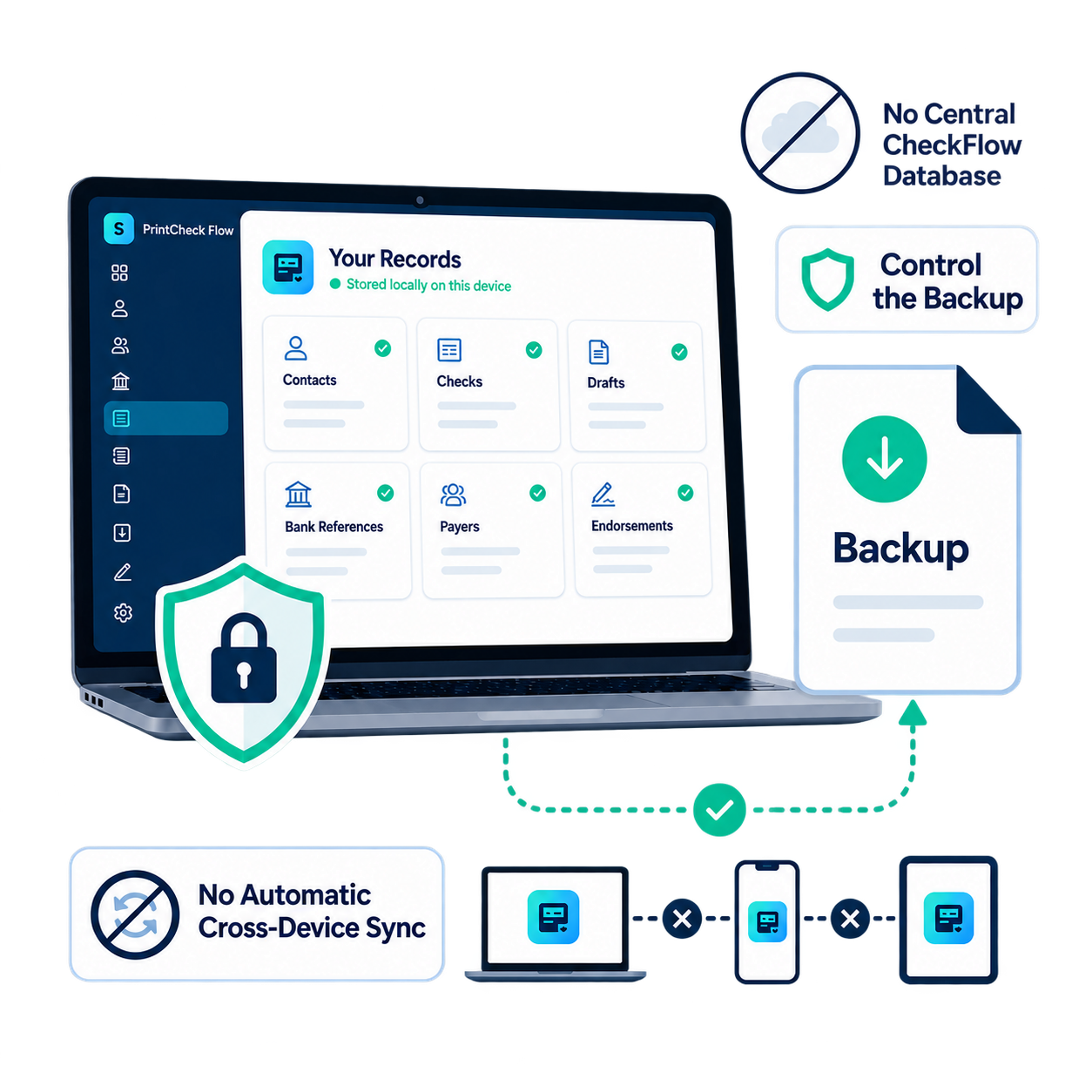
Your working records stay on the device you control.
PrintCheck Flow stores its application data locally in your browser instead of requiring a central CheckFlow customer database for your contacts, checks, drafts and bank references.
From saved contact to printed check in a few direct steps.
The workflow stays focused so you can get the first result without digging through unnecessary menus.
Save Your Information
Add your bank accounts, contacts and payees once so you can reuse them later.
Choose the Transaction
Create an outgoing check, authorized client draft or record a physical incoming check.
Preview & Print
Review the check layout, amount, payee, MICR line and message before sending it to the printer.
Keep the Record
Save the transaction to the appropriate register and export a backup whenever you want one.
Use PrintCheck Flow wherever check management needs to stay fast.
Small Businesses
Create business checks without opening an oversized accounting application every time a payment needs to go out.
Offices & Administrators
Keep reusable contact and payment information organized while maintaining a simple check register.
Independent Professionals
Handle recurring payments and received checks without turning the process into an accounting project.
Businesses Receiving Checks
Record incoming checks, designate the intended deposit account and track the payment through deposit and clearing.
The core check workflow in one place.
Stop turning a simple check into a complicated task.
Create, print and track checks from a focused local-first workspace built around the job you actually need to finish.